 Spreadsheet
Home / Label reader
Shelf label reader for the Oopbuy homepage
Choose one of thirteen labels from Oopbuy's own shelves and get a card that says what it is, what Oopbuy prints, and what Oopbuy has not published.
Read on oopbuy.com: November 10, 2026
Pick the label you saw
Your label card appears here: where the label sits, Oopbuy's own words with the date we read them, which kind of label it is, what Oopbuy has not published, and how it differs from a catalogue find.
Using the reader, step by step
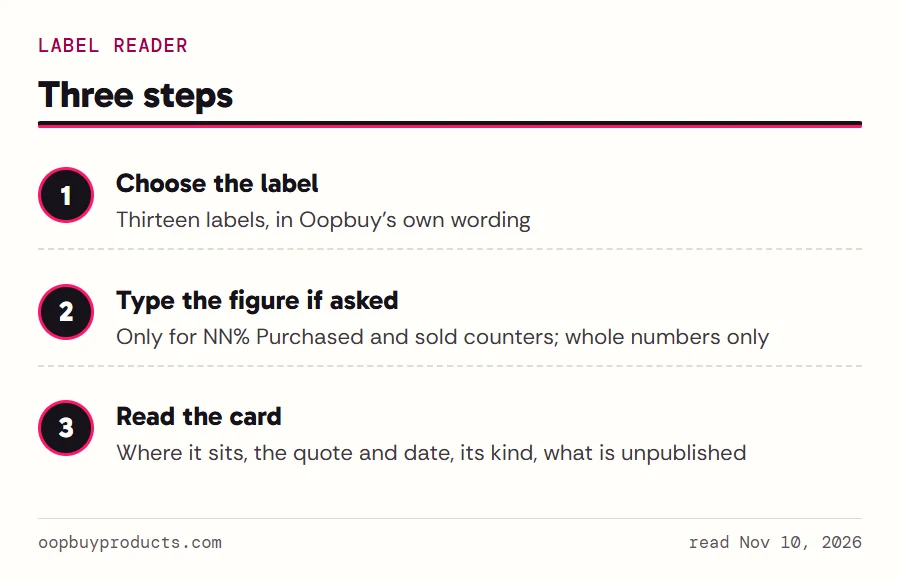
Keep oopbuy.com open in another window and find the label that made you pause. Choose it from the list, press Read this label, and the card appears below the form. The list uses the wording Oopbuy prints, so 100% Authentic is listed as it appears and the pink purchase bar as NN% Purchased.
Two labels are counters with a number on them, NN% Purchased and 500+ sold. For those the reader asks for the figure. It accepts whole numbers only, with an optional % or + at the end, and refuses anything else line by line: an empty box, a minus sign, a decimal point, scientific notation such as 1e2, or a figure above the limit. When it refuses, it says why under the box and clears the card, so you never read a conclusion built on a typo. Clear resets everything.
Links on the other pages of this site open the reader with a label already chosen, for example the AiKuCun card.
The four kinds of shelf label
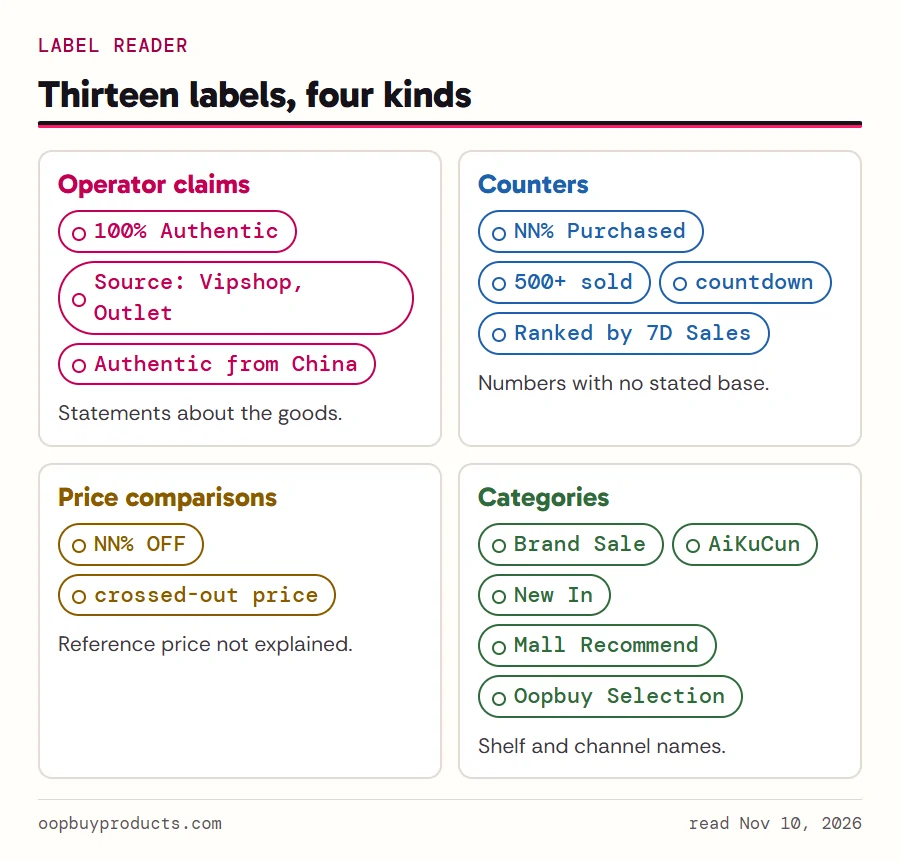
The card puts every label into one of four boxes, and the box decides the next question to ask.
Operator claims are statements Oopbuy makes about the goods: 100% Authentic, Source: Vipshop, Outlet, the four ticks on the AiKuCun banner. Treat them as what the seller says. Oopbuy's own Terms of Service describe the company as "not a goods seller" that "offers no guarantee as to product authenticity" for third-party-merchant goods, which sits awkwardly next to an authenticity chip. The reader quotes both and leaves you to ask Oopbuy which applies.
Counters are numbers that move: the purchase bar, sold counts, the AiKuCun clocks, the Hot Sellers ranking. None of them states its base. Price comparisons set a sale price against a struck-through one, and no page says where the struck-through figure comes from. Categories are shelf names. They organise, they do not promise.
What the reader deliberately skips
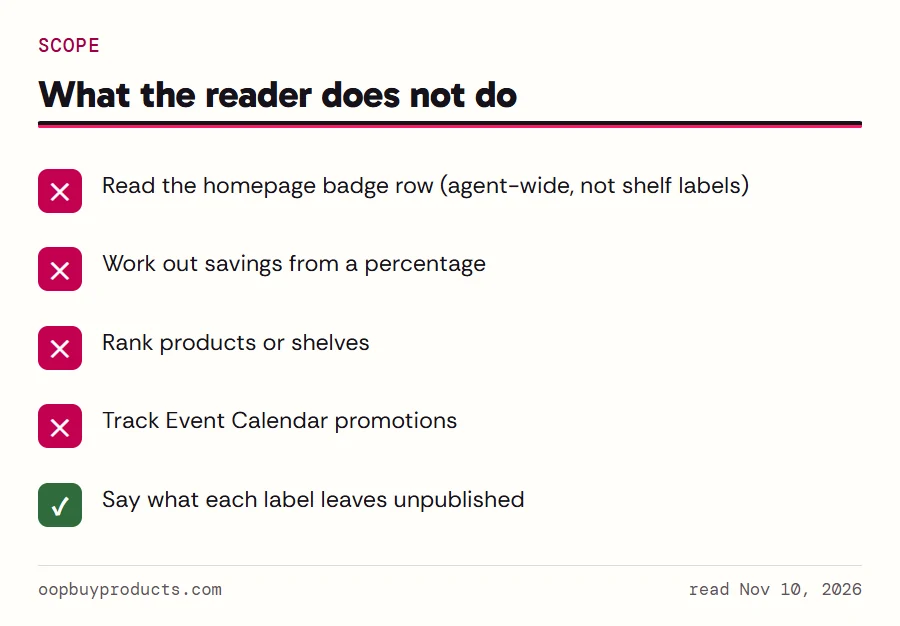
The badge row under the homepage search bar (Safe Payments, a quality-inspection badge, 24/7 Support, 90-Day Free Storage, Delivery Guarantee, More protection) is not in the reader. Those badges describe the agent service as a whole, not a product on a shelf, and the storage and inspection rules behind them are covered on our warehouse checks page.
The reader also does not say which shelf to buy from, does not work out how much a percentage saves you, and does not rank products. A struck-through price with no stated source cannot support a savings figure, and a sold counter with no stated period cannot support a ranking. Where a label invites that kind of maths, the card says what is missing instead.
Event Calendar tiles are left out too. They are promotions with their own dates and terms, and they change every few days; the shelf log records the ones we saw.
How each card was written
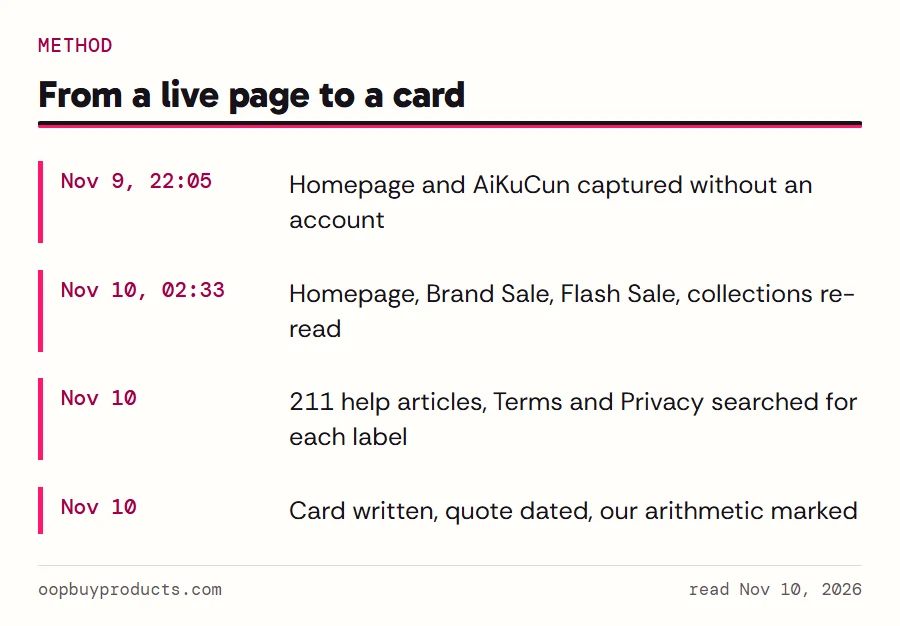
Every card starts from a reading of the live page. We loaded oopbuy.com in a clean browser with no account on the night of November 9 and again early on November 10, 2026, saved the page text and a full-length screenshot, and opened each shelf's More link. The quotes on the cards are copied from those captures, with their date.
The Not published line is the strict part. Before writing that Oopbuy has not published something, we searched all 211 help-centre articles plus the Terms of Service and Oopbuy's Privacy Statement for the label's words. Brand Sale, AiKuCun, Flash Sale, New In, Hot Sellers and Outlet returned no hits. Where the number arithmetic on a card is ours (the purchase bar), the card says so.